SELECT AI on Oracle 23ai and 26ai: Tracking Token Usage per Schema

🇧🇷 Leia este post em Português: SELECT AI no Oracle 23ai e 26ai: controlando o consumo de tokens por schema
By Ricardo Rezende — Database & more
"Who spent all of that?"
If you've ever managed a multi-team database environment, you know how that question shows up. It starts with an unaccounted tablespace extent, then a job nobody owns, and now — in the age of SELECT AI — it's going to be an OCI Generative AI bill bigger than expected, with zero visibility into which schema was responsible.
SELECT AI is a great tool.
In the previous post I showed how to configure the profile, annotate the schema with comments, and run the showsql → runsql → narrate cycle. But that example had a single user, a single profile, and nobody splitting the bill.
The reality for anyone putting SELECT AI into real production is different: multiple schemas, multiple applications, each with their own business context and profile — and at the end of the month, the need to know who consumed what. For chargeback, for capacity planning, to identify the schema that decided to run narrate over an entire table at 3 AM (it's rare, but it happens a lot! 😄).
This post shows how to build that tracking layer from scratch. The lab was done on ADB 23ai on OCI and the differences for Oracle 26ai on-premises are highlighted in notes throughout the text.
What the database offers natively
On ADB 23ai, DBMS_CLOUD_AI exposes a set of views for tracking conversations and prompts. It's worth knowing each one before deciding what to use:
| View | Scope |
|---|---|
USER_CLOUD_AI_CONVERSATIONS |
Conversations of the connected schema |
USER_CLOUD_AI_CONVERSATION_PROMPTS |
Prompts of the connected schema |
USER_CLOUD_AI_CONVERSATION_PROMPTS_EXT |
Extended version of the connected schema's prompts |
SESSION_CLOUD_AI_CONVERSATION_PROMPTS |
Prompts of the current session (no schema filter) |
DBA_CLOUD_AI_CONVERSATIONS |
Conversations of all schemas (requires DBA privilege) |
DBA_CLOUD_AI_CONVERSATION_PROMPTS |
Prompts of all schemas (requires DBA privilege) |
ALL_CLOUD_AI_PROFILES |
Profiles visible to the connected user |
DBA_CLOUD_AI_PROFILES |
All profiles in the database |
The DBA_CLOUD_AI_CONVERSATION_PROMPTS is the most interesting for our scenario: it consolidates prompts from all schemas into a single view, accessible by ADMIN. Its structure is as follows:
| Column | Null? | Type | What it records |
|---|---|---|---|
CONVERSATION_PROMPT_ID |
VARCHAR2(36) |
Unique prompt ID | |
CONVERSATION_ID |
NOT NULL |
VARCHAR2(36) |
Conversation ID |
CONVERSATION_TITLE |
NOT NULL |
VARCHAR2(128) |
Conversation title |
OWNER |
NOT NULL |
VARCHAR2(128) |
Schema that owns the conversation |
PROFILE_NAME |
VARCHAR2(128) |
AI profile used | |
PROMPT_ACTION |
VARCHAR2(11) |
narrate, runsql, chat, showsql |
|
PROMPT |
CLOB |
The prompt text sent | |
PROMPT_RESPONSE |
CLOB |
The response returned | |
CREATED |
TIMESTAMP(6) WITH TIME ZONE |
When the prompt was created | |
MODIFIED |
TIMESTAMP(6) WITH TIME ZONE |
Last modification of the record | |
CLIENT_IDENTIFIER |
VARCHAR2(128) |
Session client identifier | |
CLIENT_IP |
VARCHAR2(128) |
Session client IP | |
SID |
NUMBER |
Session identifier | |
SERIAL# |
NUMBER |
Session serial |
The OWNER column solves the problem of identifying which schema originated each call — without needing additional instrumentation for that. Looks like the problem is solved, right?
Almost. There is a limitation that changes everything: these views only record calls made in conversation mode — that is, via DBMS_CLOUD_AI.CREATE_CONVERSATION and DBMS_CLOUD_AI.CHAT. Direct calls to DBMS_CLOUD_AI.GENERATE with action => 'runsql', 'narrate' or 'showsql' do not appear in these views. If your application uses SELECT AI or calls GENERATE directly — which is the most common case — DBA_CLOUD_AI_CONVERSATION_PROMPTS will be empty.
And even for conversation mode, the most critical problem remains: there is no token column. The views record the prompt and response, but not how many tokens were consumed. For real cost and chargeback visibility, you need to capture that at the call layer.
📝 Oracle 26ai on-premises: none of these views exist. Instrumentation is 100% manual from the start.
The solution I'll show here how to address these problems: a dedicated observability schema and a PL/SQL wrapper that application schemas call instead of DBMS_CLOUD_AI.GENERATE directly.
The architecture: one schema to manage them all
The idea is straightforward. We create an AI_OPS schema that is the only one with EXECUTE on DBMS_CLOUD_AI. Application schemas (APP_SALES, APP_HR, anyone) have no direct access to the package — they call a public procedure in AI_OPS, which executes the LLM call, captures the metadata, writes the log, and returns the result.
This model offers more than just tracking: you also gain a single point to swap the profile or model without changing anything in the application schemas, and a natural barrier against unauthorized LLM usage.
Step 1: Creating the AI_OPS schema
Run as ADMIN on your ADB:
-- Create the observability schema
CREATE USER ai_ops IDENTIFIED BY "&strong_password"
  DEFAULT TABLESPACE data
  QUOTA UNLIMITED ON data;

-- Required privileges
GRANT CREATE SESSION    TO ai_ops;
GRANT CREATE TABLE      TO ai_ops;
GRANT CREATE PROCEDURE  TO ai_ops;
GRANT CREATE SEQUENCE   TO ai_ops;
GRANT SELECT ON dba_cloud_ai_profile_attributes TO ai_ops;  -- model name in log
GRANT SELECT ON v$session                        TO ai_ops;  -- SID/SERIAL# capture
GRANT EXECUTE ON dbms_cloud_ai                   TO ai_ops;  -- LLM calls

-- Enable Resource Principal for AI_OPS
-- Eliminates the need for an explicit credential to access OCI GenAI
EXEC DBMS_CLOUD_ADMIN.ENABLE_RESOURCE_PRINCIPAL(username => 'AI_OPS');
Create the observability schema
📝 Oracle 26ai on-premises:DBMS_CLOUD_ADMIN.ENABLE_RESOURCE_PRINCIPALdoes not exist. Instead, create an explicit API Key credential withDBMS_CLOUD.CREATE_CREDENTIALconnected asAI_OPS, and reference it by name in the profiles. All other grants are identical.
Step 2: The log table
Connected as AI_OPS:
-- Main usage tracking table
CREATE TABLE ai_ops.ai_token_log (
  log_id            NUMBER         GENERATED ALWAYS AS IDENTITY PRIMARY KEY,
  log_ts            TIMESTAMP      DEFAULT SYSTIMESTAMP NOT NULL,
  caller_schema     VARCHAR2(128)  NOT NULL,
  profile_name      VARCHAR2(128)  NOT NULL,
  action            VARCHAR2(20)   NOT NULL,
  prompt_text       CLOB,
  response_text     CLOB,
  tokens_input      NUMBER,
  tokens_output     NUMBER,
  tokens_total      NUMBER         GENERATED ALWAYS AS (tokens_input + tokens_output) VIRTUAL,
  model_name        VARCHAR2(256),
  duration_ms       NUMBER,
  session_sid       NUMBER,
  session_serial    NUMBER,
  client_identifier VARCHAR2(128),
  client_ip         VARCHAR2(128),
  error_code        NUMBER,
  error_message     VARCHAR2(4000),
  status            VARCHAR2(10)   DEFAULT 'OK' NOT NULL
    CONSTRAINT chk_status CHECK (status IN ('OK','ERROR'))
) TABLESPACE data;

-- Indexes to support consumption reports
CREATE INDEX ai_token_log_caller_ts_ix
  ON ai_ops.ai_token_log (caller_schema, TRUNC(log_ts));

CREATE INDEX ai_token_log_ts_ix
  ON ai_ops.ai_token_log (TRUNC(log_ts));

CREATE INDEX ai_token_log_action_ix
  ON ai_ops.ai_token_log (action, caller_schema);

-- Comments
COMMENT ON TABLE ai_ops.ai_token_log IS
  'Centralized log of all SELECT AI calls made through ai_ops.pkg_ai_gateway. '
  'Each row represents one call to DBMS_CLOUD_AI.GENERATE.';

COMMENT ON COLUMN ai_ops.ai_token_log.caller_schema IS
  'Schema that originated the call. Captured via SYS_CONTEXT — cannot be forged by the caller.';

COMMENT ON COLUMN ai_ops.ai_token_log.tokens_input IS
  'Input tokens (prompt + schema metadata) as reported by the OCI GenAI API.';

COMMENT ON COLUMN ai_ops.ai_token_log.tokens_output IS
  'Output tokens (LLM response) as reported by the OCI GenAI API.';

COMMENT ON COLUMN ai_ops.ai_token_log.tokens_total IS
  'Virtual column: sum of tokens_input + tokens_output.';
Tracking table
Step 3: The wrapper — PKG_AI_GATEWAY
This is the heart of the solution. The wrapper calls DBMS_CLOUD_AI.GENERATE, captures tokens, writes the log, and returns the result to the caller.
An important note about tokens in OCI GenAI: the response from DBMS_CLOUD_AI.GENERATE with action => 'runsql' or 'narrate' returns the query result or narrated text — not the raw API payload. To capture tokens, you can either make an additional call to the OCI GenAI endpoint via DBMS_CLOUD.SEND_REQUEST, or use the 'chat' action which returns the full API JSON including the usage field. For the other actions, the most reliable strategy is to estimate tokens from the size of the prompt and response (roughly 1 token ≈ 4 characters for English/Portuguese). The lab below shows only the estimation approach. You'll understand why a little further on. 😉
CREATE OR REPLACE PACKAGE ai_ops.pkg_ai_gateway AS

  -- Main function: LLM call with automatic logging
  FUNCTION generate (
    p_prompt       IN CLOB,
    p_profile_name IN VARCHAR2,
    p_action       IN VARCHAR2 DEFAULT 'runsql'
  ) RETURN CLOB;

  -- Helper procedure: log an error with no result
  PROCEDURE log_error (
    p_caller_schema IN VARCHAR2,
    p_profile_name  IN VARCHAR2,
    p_action        IN VARCHAR2,
    p_prompt        IN CLOB,
    p_error_code    IN NUMBER,
    p_error_message IN VARCHAR2
  );

END pkg_ai_gateway;
/

CREATE OR REPLACE PACKAGE BODY ai_ops.pkg_ai_gateway AS

  -- Token estimation by character count
  -- Approximation: 1 token ≈ 4 chars (English/Portuguese)
  -- For exact counts, replace with a call to the provider's tokenization API
  FUNCTION estimate_tokens (p_text IN CLOB) RETURN NUMBER IS
  BEGIN
    RETURN CEIL(DBMS_LOB.GETLENGTH(NVL(p_text, EMPTY_CLOB())) / 4);
  END estimate_tokens;

  FUNCTION generate (
    p_prompt       IN CLOB,
    p_profile_name IN VARCHAR2,
    p_action       IN VARCHAR2 DEFAULT 'runsql'
  ) RETURN CLOB IS

    l_result         CLOB;
    l_start_ts       TIMESTAMP := SYSTIMESTAMP;
    l_start_time     NUMBER    := DBMS_UTILITY.GET_TIME;
    l_duration_ms    NUMBER;
    l_tokens_in      NUMBER;
    l_tokens_out     NUMBER;
    l_caller_schema  VARCHAR2(128) := SYS_CONTEXT('USERENV', 'SESSION_USER');
    l_sid            NUMBER        := SYS_CONTEXT('USERENV', 'SID');
    l_serial         NUMBER;
    l_client_id      VARCHAR2(128) := SYS_CONTEXT('USERENV', 'CLIENT_IDENTIFIER');
    l_client_ip      VARCHAR2(128) := SYS_CONTEXT('USERENV', 'IP_ADDRESS');
    l_model_name     VARCHAR2(256);
    l_usage_json     JSON_OBJECT_T;
    l_json_response  CLOB;

  BEGIN
    -- Retrieve SERIAL# for the current session
    SELECT serial#
      INTO l_serial
      FROM v$session
     WHERE sid = l_sid
       AND rownum = 1;

    -- For 'chat', the response is the full API JSON (includes usage)
    -- For other actions, the response is the final result (SQL, text, etc.)
    IF p_action = 'chat' THEN
      l_json_response := DBMS_CLOUD_AI.GENERATE(
        prompt       => p_prompt,
        profile_name => p_profile_name,
        action       => p_action
      );

      -- Try to extract tokens from the usage field
      BEGIN
        l_usage_json  := JSON_OBJECT_T.PARSE(l_json_response);
        l_tokens_in   := l_usage_json.get_Object('usage').get_Number('prompt_tokens');
        l_tokens_out  := l_usage_json.get_Object('usage').get_Number('completion_tokens');
        l_result      := l_usage_json.get_String('content');
        IF l_result IS NULL THEN
          l_result := l_json_response; -- fallback: return the full JSON
        END IF;
      EXCEPTION
        WHEN OTHERS THEN
          -- JSON not in expected format; return everything and estimate tokens
          l_result     := l_json_response;
          l_tokens_in  := estimate_tokens(p_prompt);
          l_tokens_out := estimate_tokens(l_result);
      END;

    ELSE
      -- runsql, narrate, showsql: return result directly
      l_result     := DBMS_CLOUD_AI.GENERATE(
        prompt       => p_prompt,
        profile_name => p_profile_name,
        action       => p_action
      );
      -- Token estimation (replace with tokenization API call if needed)
      l_tokens_in  := estimate_tokens(p_prompt);
      l_tokens_out := estimate_tokens(l_result);
    END IF;

    -- Retrieve the model name configured in the profile
    BEGIN
      SELECT attribute_value
        INTO l_model_name
        FROM dba_cloud_ai_profile_attributes
       WHERE profile_name   = p_profile_name
         AND attribute_name = 'model'
         AND rownum = 1;
    EXCEPTION
      WHEN NO_DATA_FOUND THEN
        l_model_name := NULL;
    END;

    -- Calculate duration in milliseconds
    -- DBMS_UTILITY.GET_TIME returns hundredths of a second
    l_duration_ms := (DBMS_UTILITY.GET_TIME - l_start_time) * 10;

    -- Write log
    INSERT INTO ai_ops.ai_token_log (
      log_ts, caller_schema, profile_name, action,
      prompt_text, response_text,
      tokens_input, tokens_output,
      model_name, duration_ms,
      session_sid, session_serial,
      client_identifier, client_ip,
      status
    ) VALUES (
      l_start_ts, l_caller_schema, p_profile_name, p_action,
      p_prompt, l_result,
      l_tokens_in, l_tokens_out,
      l_model_name,
      l_duration_ms,
      l_sid, l_serial,
      l_client_id, l_client_ip,
      'OK'
    );

    COMMIT;
    RETURN l_result;

  EXCEPTION
    WHEN OTHERS THEN
      l_duration_ms := (DBMS_UTILITY.GET_TIME - l_start_time) * 10;
      log_error(
        p_caller_schema => l_caller_schema,
        p_profile_name  => p_profile_name,
        p_action        => p_action,
        p_prompt        => p_prompt,
        p_error_code    => SQLCODE,
        p_error_message => SQLERRM
      );
      RAISE;
  END generate;

  PROCEDURE log_error (
    p_caller_schema IN VARCHAR2,
    p_profile_name  IN VARCHAR2,
    p_action        IN VARCHAR2,
    p_prompt        IN CLOB,
    p_error_code    IN NUMBER,
    p_error_message IN VARCHAR2
  ) IS
    PRAGMA AUTONOMOUS_TRANSACTION;
  BEGIN
    INSERT INTO ai_ops.ai_token_log (
      log_ts, caller_schema, profile_name, action,
      prompt_text, tokens_input, tokens_output,
      error_code, error_message, status
    ) VALUES (
      SYSTIMESTAMP, p_caller_schema, p_profile_name, p_action,
      p_prompt, 0, 0,
      p_error_code, p_error_message, 'ERROR'
    );
    COMMIT;
  END log_error;

END pkg_ai_gateway;
/
Package ai_ops.pkg_ai_gateway
The log_error procedure uses PRAGMA AUTONOMOUS_TRANSACTION for a practical reason: if the LLM call fails and the caller rolls back their transaction, the error record still needs to be committed. Without the pragma, the error log would disappear along with the rollback.
Step 4: Creating the profiles in AI_OPS
Each application schema will have its own profile, created and managed by AI_OPS. It is AI_OPS that executes DBMS_CLOUD_AI — therefore it is the one that needs to own the profiles, not the application schemas.
The object_list defines which tables the LLM can see to generate SQL. Rather than exposing the entire schema, we list each table explicitly — limiting the LLM's access surface and preventing it from trying to JOIN tables unrelated to the question.
In our lab, the tables from the RREZENDE schema (base of the previous article) are distributed as follows:
| App | Tables | Context |
|---|---|---|
APP_SALES |
EMPRESA, CONTATO, AMBIENTE |
Clients, contracts and environments |
APP_SUPPORT |
SUPORTE, TAREFA, MANUTENCAO |
Tickets, tasks and maintenance |
APP_HR |
CONTATO, TAREFA |
People and task allocation |
Run connected as AI_OPS:
-- Profile for APP_SALES
-- Context: clients, contracts and environments
BEGIN
  DBMS_CLOUD_AI.CREATE_PROFILE(
    profile_name => 'AI_PROFILE_SALES',
    attributes   => '{
      "provider"          : "oci",
      "credential_name"   : "OCI$RESOURCE_PRINCIPAL",
      "model"             : "cohere.command-r-plus-08-2024",
      "oci_compartment_id": "ocid1.compartment.oc1..xxxxxxxx",
      "temperature"       : 0,
      "comments"          : true,
      "object_list"       : [
        {"owner": "RREZENDE", "name": "EMPRESA"},
        {"owner": "RREZENDE", "name": "CONTATO"},
        {"owner": "RREZENDE", "name": "AMBIENTE"}
      ]
    }'
  );
END;
/

-- Profile for APP_SUPPORT
-- Context: support tickets, tasks and maintenance
BEGIN
  DBMS_CLOUD_AI.CREATE_PROFILE(
    profile_name => 'AI_PROFILE_SUPPORT',
    attributes   => '{
      "provider"          : "oci",
      "credential_name"   : "OCI$RESOURCE_PRINCIPAL",
      "model"             : "cohere.command-r-plus-08-2024",
      "oci_compartment_id": "ocid1.compartment.oc1..xxxxxxxx",
      "temperature"       : 0,
      "comments"          : true,
      "object_list"       : [
        {"owner": "RREZENDE", "name": "SUPORTE"},
        {"owner": "RREZENDE", "name": "TAREFA"},
        {"owner": "RREZENDE", "name": "MANUTENCAO"}
      ]
    }'
  );
END;
/

-- Profile for APP_HR
-- Context: people and task allocation
BEGIN
  DBMS_CLOUD_AI.CREATE_PROFILE(
    profile_name => 'AI_PROFILE_HR',
    attributes   => '{
      "provider"          : "oci",
      "credential_name"   : "OCI$RESOURCE_PRINCIPAL",
      "model"             : "cohere.command-r-plus-08-2024",
      "oci_compartment_id": "ocid1.compartment.oc1..xxxxxxxx",
      "temperature"       : 0,
      "comments"          : true,
      "object_list"       : [
        {"owner": "RREZENDE", "name": "CONTATO"},
        {"owner": "RREZENDE", "name": "TAREFA"}
      ]
    }'
  );
END;
/

-- Confirm profiles and registered tables
COL PROFILE_NAME    FOR A20
COL ATTRIBUTE_NAME  FOR A20
COL ATTRIBUTE_VALUE FOR A100

SELECT profile_name, attribute_name, attribute_value
  FROM user_cloud_ai_profile_attributes
 WHERE profile_name IN ('AI_PROFILE_SALES','AI_PROFILE_SUPPORT','AI_PROFILE_HR')
 ORDER BY profile_name, attribute_name;
Application profiles
AI_OPS also needs SELECT on the RREZENDE tables, since it is the one executing the SQL generated by the LLM. Grant as ADMIN:
GRANT SELECT ON rrezende.empresa    TO ai_ops;
GRANT SELECT ON rrezende.contato    TO ai_ops;
GRANT SELECT ON rrezende.ambiente   TO ai_ops;
GRANT SELECT ON rrezende.suporte    TO ai_ops;
GRANT SELECT ON rrezende.tarefa     TO ai_ops;
GRANT SELECT ON rrezende.manutencao TO ai_ops;
Table access granted to ai_ops
The DB_GROWTH table was intentionally omitted from all profiles — it contains internal database growth metrics and is not relevant to any of the three business contexts in this lab.
📝 Oracle 26ai on-premises: include "credential_name": "<credential_name>" in the profiles, referencing the credential created in Step 1. Everything else is identical.Step 5: Granting access to application schemas
Connected as ADMIN:
-- Create application schemas (if they don't exist yet)
CREATE USER app_sales   IDENTIFIED BY "&password"
  DEFAULT TABLESPACE data QUOTA UNLIMITED ON data;
CREATE USER app_hr      IDENTIFIED BY "&password"
  DEFAULT TABLESPACE data QUOTA UNLIMITED ON data;
CREATE USER app_support IDENTIFIED BY "&password"
  DEFAULT TABLESPACE data QUOTA UNLIMITED ON data;

GRANT CREATE SESSION TO app_sales, app_hr, app_support;

-- Grant EXECUTE on the gateway to each application schema
-- Do NOT grant EXECUTE on DBMS_CLOUD_AI directly
GRANT EXECUTE ON ai_ops.pkg_ai_gateway TO app_sales;
GRANT EXECUTE ON ai_ops.pkg_ai_gateway TO app_hr;
GRANT EXECUTE ON ai_ops.pkg_ai_gateway TO app_support;

-- Create a public synonym for convenience (optional)
CREATE PUBLIC SYNONYM pkg_ai_gateway FOR ai_ops.pkg_ai_gateway;
Application Schemas
With the public synonym, application schemas call pkg_ai_gateway.generate(...) without any qualifier.
Step 6: How application schemas call the gateway
Instead of calling DBMS_CLOUD_AI.GENERATE directly, the application calls the wrapper:
-- Connected as APP_SALES
DECLARE
  l_result CLOB;
BEGIN
  l_result := pkg_ai_gateway.generate(
    p_prompt       => 'Which companies have an active contract?',
    p_profile_name => 'AI_PROFILE_SALES',
    p_action       => 'runsql'
  );
  DBMS_OUTPUT.PUT_LINE(l_result);
END;
/

-- Or with narrate
DECLARE
  l_summary CLOB;
BEGIN
  l_summary := pkg_ai_gateway.generate(
    p_prompt       => 'Summarize companies by market segment',
    p_profile_name => 'AI_PROFILE_SALES',
    p_action       => 'narrate'
  );
  DBMS_OUTPUT.PUT_LINE(l_summary);
END;
/

-- Connected as APP_SUPPORT
DECLARE
  l_result CLOB;
BEGIN
  l_result := pkg_ai_gateway.generate(
    p_prompt       => 'Which support tickets have been open for more than 5 days?',
    p_profile_name => 'AI_PROFILE_SUPPORT',
    p_action       => 'runsql'
  );
  DBMS_OUTPUT.PUT_LINE(l_result);
END;
/

DECLARE
  l_summary CLOB;
BEGIN
  l_summary := pkg_ai_gateway.generate(
    p_prompt       => 'Summarize maintenance completed in the last month',
    p_profile_name => 'AI_PROFILE_SUPPORT',
    p_action       => 'narrate'
  );
  DBMS_OUTPUT.PUT_LINE(l_summary);
END;
/

-- Connected as APP_HR
DECLARE
  l_result CLOB;
BEGIN
  l_result := pkg_ai_gateway.generate(
    p_prompt       => 'Which contacts have tasks in progress?',
    p_profile_name => 'AI_PROFILE_HR',
    p_action       => 'runsql'
  );
  DBMS_OUTPUT.PUT_LINE(l_result);
END;
/

DECLARE
  l_summary CLOB;
BEGIN
  l_summary := pkg_ai_gateway.generate(
    p_prompt       => 'Summarize task distribution by contact in the last quarter',
    p_profile_name => 'AI_PROFILE_HR',
    p_action       => 'narrate'
  );
  DBMS_OUTPUT.PUT_LINE(l_summary);
END;
/
Application schemas calling the gateway
The caller_schema is captured automatically via SYS_CONTEXT('USERENV','SESSION_USER') — the schema that calls the wrapper is written to the log without relying on any caller-provided parameter. This prevents one schema from impersonating another.
Step 7: Consumption reports
Here's the part every manager will want to see. Run the following queries connected as ADMIN or as AI_OPS.
Daily consumption by schema (last 30 days)
SELECT TRUNC(log_ts)           AS day_date,
       caller_schema,
       action,
       COUNT(*)                AS calls,
       SUM(tokens_input)       AS input_tokens,
       SUM(tokens_output)      AS output_tokens,
       SUM(tokens_total)       AS total_tokens,
       ROUND(AVG(duration_ms)) AS avg_ms,
       SUM(CASE WHEN status = 'ERROR' THEN 1 ELSE 0 END) AS errors
   FROM ai_ops.ai_token_log
   WHERE log_ts >= SYSDATE - 30
   GROUP BY TRUNC(log_ts), caller_schema, action
   ORDER BY day_date DESC, total_tokens DESC;
Daily consumption by schema (last 30 days)
Monthly consumption by schema (current year)
SELECT TO_CHAR(log_ts, 'YYYY-MM')  AS month,
       caller_schema,
       COUNT(*)                     AS total_calls,
       SUM(tokens_input)            AS input_tokens,
       SUM(tokens_output)           AS output_tokens,
       SUM(tokens_total)            AS total_tokens,
       ROUND(RATIO_TO_REPORT(SUM(tokens_total))
         OVER (PARTITION BY TO_CHAR(log_ts, 'YYYY-MM')) * 100, 2) AS pct_of_month
  FROM ai_ops.ai_token_log
  WHERE log_ts >= TRUNC(SYSDATE, 'YEAR')
    AND status = 'OK'
  GROUP BY TO_CHAR(log_ts, 'YYYY-MM'), caller_schema
  ORDER BY month DESC, total_tokens DESC;
Monthly consumption by schema (current year)
Top 10 most expensive prompts (by total tokens)
SELECT *
  FROM (SELECT log_id,
               log_ts,
               caller_schema,
               profile_name,
               action,
               tokens_total,
               duration_ms,
               SUBSTR(prompt_text, 1, 200) AS prompt_preview
          FROM ai_ops.ai_token_log
          WHERE status = 'OK'
          ORDER BY tokens_total DESC)
  WHERE rownum <= 10;
Top 10 most expensive prompts (by total tokens)
Monthly cost by schema (in BRL)
The cohere.command-r-plus-08-2024 model is billed by OCI as Large Cohere (SKU B108077). According to the Oracle documentation, the on-demand billing metric works as follows:
- 1 transaction = 1 character (prompt + response)
- 10,000 transactions = 10,000 characters
- Formula:
cost = (total_chars / 10,000) × unit_price
For illustration purposes I will use a hypothetical value of BRL 0.09 per 10,000 transactions. Check the SKU value in your Oracle contract to get the actual value.
Since the AI_TOKEN_LOG table stores tokens estimated using the 1 token ≈ 4 characters approximation, we convert back to characters by multiplying by 4:
COL month         FOR A10
COL caller_schema FOR A15
COL model_name    FOR A30
COL calls         FOR 999,999
COL total_chars   FOR 999,999,999
COL cost_brl      FOR 999,990.999999

-- Monthly cost by schema
-- SKU B108077: Large Cohere = BRL 0.09 per 10,000 transactions (hypothetical value)
-- 1 transaction = 1 character (prompt + response)
-- tokens * 4 converts estimated tokens back to characters
-- Update the unit price according to your current contract
SELECT TO_CHAR(log_ts, 'YYYY-MM')                       AS month,
       caller_schema,
       model_name,
       COUNT(*)                                          AS calls,
       SUM(tokens_total * 4)                             AS total_chars,
       ROUND(SUM(tokens_total * 4) / 10000 * 0.09, 6)   AS cost_brl
  FROM ai_ops.ai_token_log
  WHERE status  = 'OK'
    AND log_ts >= TRUNC(SYSDATE, 'YEAR')
  GROUP BY TO_CHAR(log_ts, 'YYYY-MM'), caller_schema, model_name
  ORDER BY month DESC, cost_brl DESC;
Monthly cost by schema (in BRL)
Token tracking is even more relevant under this billing model: the larger the prompt and response, the more characters consumed and the higher the cost. Identifying the longest prompts — via the top 10 query above — is the first step toward optimizing spend.
Errors by schema in the past month
SELECT caller_schema,
       error_code,
       error_message,
       COUNT(*)    AS occurrences,
       MIN(log_ts) AS first_seen,
       MAX(log_ts) AS last_seen
  FROM ai_ops.ai_token_log
  WHERE status  = 'ERROR'
    AND log_ts >= ADD_MONTHS(SYSDATE, -1)
  GROUP BY caller_schema, error_code, error_message
  ORDER BY occurrences DESC;
Errors by schema in the past month
Why not use the /actions/tokenize endpoint?
The OCI GenAI exposes a tokenization endpoint that would return the exact token count for each call. The choice to use the chars / 4 estimate was intentional: each call to /actions/tokenize is a billable transaction — meaning 2 extra calls per gateway execution (one for the prompt, one for the response), tripling the number of billed transactions.
Additionally, since OCI billing itself is character-based rather than token-based, the estimate is naturally aligned with what appears on the invoice. The /actions/tokenize endpoint makes sense in scenarios where the model is billed per token — such as the OpenAI family models available on OCI — and remains a future enhancement for those who need that precision.
What to take home
DBA_CLOUD_AI_CONVERSATION_PROMPTS exists on ADB 23ai and consolidates prompts from all schemas with the OWNER column — but only records calls made in conversation mode. For the most common usage pattern — direct GENERATE or SELECT AI — it will be empty. And in no scenario does it expose token counts.
The AI_OPS + PKG_AI_GATEWAY pattern solves three problems at once: tracking of all actions, token visibility, and centralized access control. The implementation cost is low — a few hours of lab work — and the payoff shows up the first time a manager asks "Where did that cost come from?"
One final note on tokens: the 1 token ≈ 4 characters estimate is a reasonable approximation for English and Portuguese with most text-generation models. For exact cost, OCI GenAI exposes a /actions/tokenize endpoint — and that stays as the subject of a future post.
Over to you
Are you already running multiple teams on SELECT AI in the same database?
How are you tracking consumption today?
If you're wondering whether it's worth building this instrumentation layer: yes, it is — especially because PKG_AI_GATEWAY naturally becomes the place where you'll want to add throttling, per-schema quotas, and maybe even a cache for repeated prompts.
Leave a comment below, reach out on LinkedIn, or find me at the next GUOB Tech Day — this topic will make for a great conversation.
See you next time.
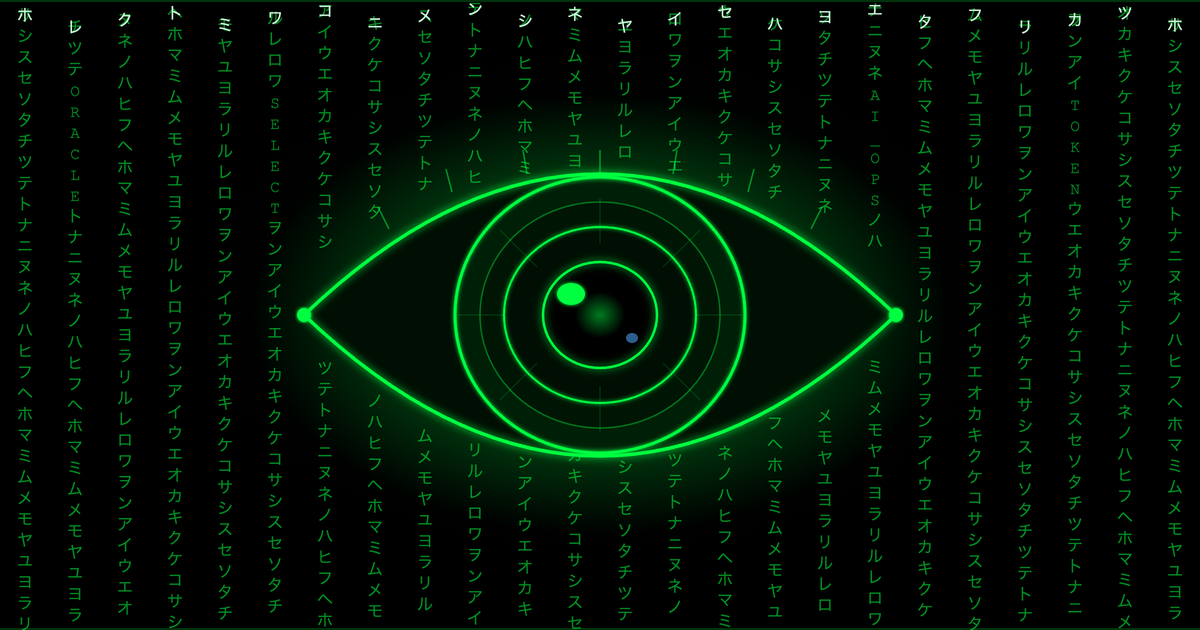
Oh, and one more thing — did you find the Easter Eggs hidden in the cover image? 😜
— Ricardo Rezende (@ricarezende)